RyanBlog
Technically, I *am* root for the home team. Weird, huh?
(I need a new pun here, huh...)
My current FotoLog
My Flickr page
number of junkmail messages currently in my spam folder filtered by SpamAssassin since Noon, May 3, 2003:

where's ryan? ...well, maybe he's at a computer:
home:

work:

| November 2015 | ||||||
| S | M | T | W | T | F | S |
| 1 | 2 | 3 | 4 | 5 | 6 | 7 |
| 8 | 9 | 10 | 11 | 12 | 13 | 14 |
| 15 | 16 | 17 | 18 | 19 | 20 | 21 |
| 22 | 23 | 24 | 25 | 26 | 27 | 28 |
| 29 | 30 | |||||
Recent Entries
[ AntiViral Video Challenge ]
[ Oh, hey... this blog is still on! ]
[ it's like a baby monitor for gadgets ]
[ writer's blocked ]
[ Redsox.com Considered Harmful ]
[ Yay, More World Baseball ]
[ Italian Baseball Team Denies me the Freakshow I've Been Waiting For ]
[ Monumental Art Project Postponed Due to Illness ]
[ The cops can apparently smell me. ]
[ "We're going to DisneyLand!" ]
Links:
my cats!
The Onion
Dilbert

The Yankees
FreeBSD
Pals:
Maggie
Rudy
Scott
Beth
Mike Essl
Tommy
My BlogRoll (frequent reading)
February 07, 2015
AntiViral Video Challenge
I posted this video to Facebook this morning:
In a few hours, it's gotten a few hundred "shares" and "likes" on social media, and a few thousand views.
I thought I'd include it here on my blog (hey, it's starved for content the last couple years), and use this space to write a couple other things about where the idea came from, why I posted it, and why I chose the words I did.
Here's my dialogue from the video:
"Hi, I'm Ryan Nelson, and I live in Northern California with my wife and our son Jamie."Jamie just turned 6 months old, so he's received some of his vaccinations, but he won't be old enough to receive the measles vaccine until this summer. Until then, he's only protected by the immunizations of others, and by we, his parents, keeping him away from unprotected people who may have been exposed.
"I am declaring here that I will vaccinate my kid, and I want to know whether you and your kids are vaccinated, too.
"I challenge all my friends on Facebook and Twitter to make this same declaration.
"I hope this video goes viral, but preventable diseases shouldn't."
I first thought about doing something like this when Maggie told me about a kid's t-shirt she'd seen that basically said "vaccinated" on it. In California, it's sometimes a little scary taking your not-yet-immunized kid to a party, thanks to the news never letting us forget about the recent outbreak that started at Disneyland. I wanted a label on every kid (and adult) so I knew where my son wasn't threatened by invisible infection.
This morning, while taking the kiddo on our 7am weekend trip to the donut shop, I read a thread on another friend's facebook feed where someone lamented the breakdown of herd immunity in their school district, and how they wished they knew who had decided against vaccination.
I'd hate to see a blacklist formed, even though I disagree *strongly* with those who either deny the science, or who consciously decide to exploit the efforts of the rest of society's anti-disease campaign, without participating.
I thought "I'm happy to announce publicly that I want to protect my kid", and I want friends to know that:
1) they can rest assured that I, my family, our baby-sitters and anyone I knowingly let be around my child have all taken best-practice efforts to protect ourselves from contagious diseases. You needn't awkwardly ask us what camp we're in on that issue before coming over to watch the "Parks & Recreation" finale with your infant.
2) I want to know.
If you vaccinated your kids, I want to know.
If you work janitorial staff at the quarantine wing of the international airport, I want to know.
If you can't vaccinate your kid or yourself for some reason, I want to know.
If you're a non-believer in the science and societal benefit of immunization, I'm not likely to get into a shouting match, smear you on social media, or even discuss it for more than a few moments.
But until my son has had the opportunity to develop immunity to the diseases that until recently were considered *erased* from this continent, I understandibly want to know who might be a risk for him to be in contact with.
In the same vein, please don't smoke, juggle knives, or play the works of Justin Beiber around him.
In the message, I took care to mention that I *can't* yet immunize Jamie from all diseases, so I need "the herd's" help on this. I pledge to take up that responsibility as soon as our pediatrician advises us he's ready for that shot/spray/whatever.
I also chose my language carefully. This is a hot issue, and there's a lot of inflammatory words being used.
I chose the term "unprotected people who may have been exposed", and not "stupid pox-ridden science-denialists". I said "immunization" whenever possible, and not "vaccine". I want people to be immune. If you had measles in 1951, you're probably ok (but it probably sucked). "Anti-Vax" is an automatic mute-button for a lot of people tired of this argument.
I'm pleased (so far) that I've not seen any insane internet trolling on these threads so far. I'm not looking for much commentary, or judgement, honestly. I'd like to be able to know who around me is safe for my kid to be in the same room with, and I'd like to be transparent about my intention to participate in our society's effort to re-defeat these diseases. (I also wear the "I donated blood today!", "I voted!", and "I donated at the museum!" stickers I get.)
Maybe we should print up some stickers.
posted at 06:41 PM
December 19, 2014
Oh, hey... this blog is still on!
Hi, everybody! Happy December!
While backing up a bunch of stuff for year-end chores, I noticed that, yeah, I haven't entered any new blog posts for a *heck* of a long time.
We had a baby awhile back. He's pretty cute:
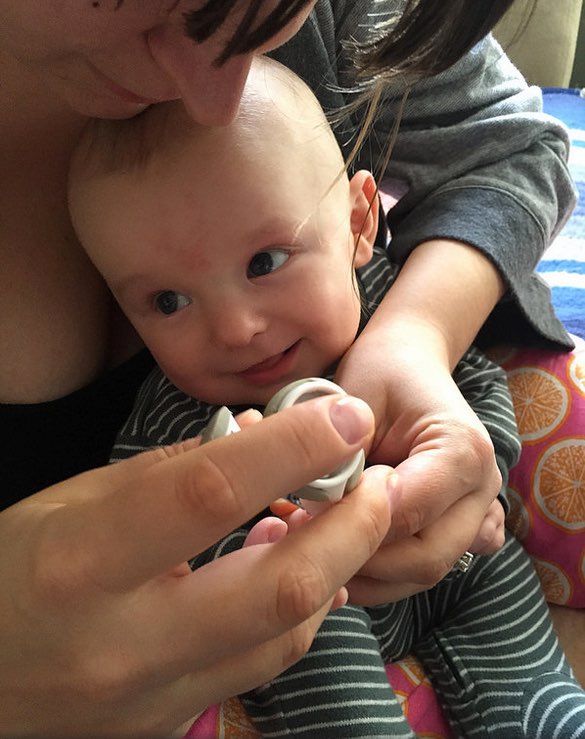
He'll eventually have a blog over here.
Merry Christmas, all!
posted at 01:38 PM
March 16, 2013
it's like a baby monitor for gadgets
I'm back, blogging something, at least:
I've been messing around with new firmware on the 3D printer (Makerbot), and have got it working pretty well.
Prints sometimes take a few hours, though, and I don't feel like sitting around in a loud room, so I set up something so I can watch the thing from afar, and know when it messes up (the parts pop off the platform, and move around) and starts printing a "sasquatch nest."
I'm using this software on my iPhone and iPad, and a "gorillapod" tentacle-tripod thing to hold the iPhone in place, while it "videoconferences" with my iPad from the other room.
posted at 02:38 AM
| Comments (0)March 10, 2013
writer's blocked
I’m currently struggling through “the forced march”… but I’m pretty blocked.
It’s not un-true to say that I’m disappointed with quickie “interesting thing I saw on the internet today” posts, and I missed yesterday because I don’t have the energy to do a long-form entry.
Twitter really is a “short form blogging platform” for me.
Things I’m thinking about writing something on, but haven’t had the time to write up properly:
SmartOS stuff:
how to lay down “the stock SmartOS filesystem” on a ZFS zpool that you made by hand (instead of letting the installer pick how, and which, disks are assembled into a volume)
networking tricks that are really handy for your SmartOS lab (NAT for those without very many IP’s, tunnelling to your VNC ports, using an IPv6 tunnelbroker)
starting a FAQ answers page, based on the last several months’ of IRC logs from here
rolling a “SmartOS for newbs” usb release that, at “install time” spins up an example zone, and drops “root” logins into that zone, making the default environment something that’s persistently writable, has a full suite of installable packages, and is appropriate to add additional non-root users. “Escalating privileges” to the global zone would be either ssh to another IP address, or some other thing. Basically, make a SmartOS install that makes some (apparently) non-obvious decisions for the first-timer, so they can’t regret their wrong assumptions and get frustrated right out of the gate.
Other stuff:
the value of an honest mechanic, and where I’ve found mine
more World Baseball Classic stuff
my workflow for getting tv shows and other content from the internet onto my flatscreen in a few minutes or less
options for me watching live broadcast television from NYC, and options for me “sharing” my cable feed’s rich channel lineup with underprivileged MediaCom cable customers in the midwest.
potpourri
posted at 10:56 PM
| Comments (2)